Your AI-Generated Website Is Killing Your Business (And the Prompt That Fixes It)
.avif)
.avif)
In this article, you will learn the 10 things AI-generated websites silently get wrong — from missing meta tags to real legal exposure — and get a production-ready prompt that fixes most of it before you go live.
Every week another founder tells me they "vibe-coded their entire website in a weekend." Webflow AI. Lovable. V0. Bolt. Replit Agent. Pick your poison. The pages look fine. Sometimes better than fine — slick, animated, modern, on-trend.
Then six months go by. Google Search Console shows 47 impressions per month. The contact form has produced four submissions, two of which are spam. Paid ads cost three times what they should because nothing is converting. A user sends an angry email about not being able to use the site with a keyboard, and the team Googles "ADA compliance" for the first time.
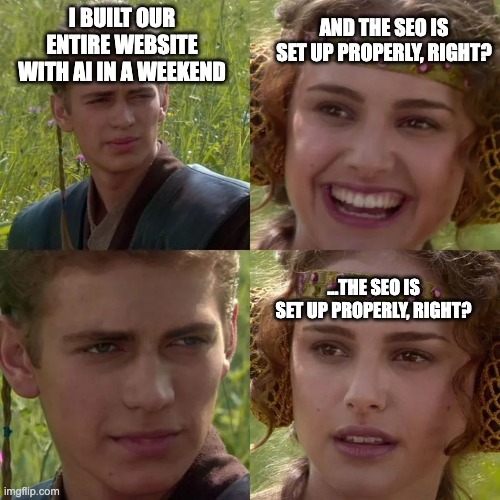
Look — AI generating websites is a real capability. Lovable can ship a landing page in minutes. V0 can prototype a SaaS site in hours. The output looks like the work of a competent agency. That's the problem. It looks like work that was done by a team that thought about it. It wasn't.
Here are the ten things AI-generated websites silently get wrong — each of which is doing measurable damage to your business right now.
1. Meta tags are missing, generic, or duplicated across every page
Every page on a website needs: a unique <title> tag (under 60 characters, with the primary keyword), a unique <meta name="description"> (150–160 characters, written to drive clicks), Open Graph tags (og:title, og:description, og:image) for previews when shared on LinkedIn or Slack, Twitter card tags, and a <link rel="canonical"> to prevent duplicate-content penalties.
AI-generated sites usually have either none of this, or the same generic placeholder duplicated across every page ("Welcome to our website"). When your link gets shared on LinkedIn and shows up as a broken image with the URL as the title — you just lost the click. When Google indexes ten pages all titled "Home | Acme" — congratulations, you fragmented your own ranking signal.
Damage: every shared link converts at 30–50% lower CTR. Every search result with a missing description gets clicked less than the competitor whose snippet promised something specific. You're paying to be visible and throwing away the visibility.
2. Structured data and Schema.org markup don't exist
Google reads structured data — JSON-LD blocks in your page source — to understand what kind of content this is. FAQ schema makes your FAQs eligible to appear as rich snippets. HowTo schema gets you step-by-step result formats. Article, Product, Organization, LocalBusiness, BreadcrumbList, Review — each unlocks a different SERP feature.
AI-generated sites almost never include any of this. Your competitor's article shows up with a star rating, FAQ accordion, and price; yours shows up as a plain blue link. Even if your content is better, theirs wins the click.
For local businesses it's worse: without LocalBusiness schema, your Google Business Profile doesn't get the data Google needs to surface you properly in Maps. You exist on the internet and don't exist on Google.
Damage: rich snippets drive 30–80% higher CTR than plain results, depending on vertical. You're losing that click-through rate every day, on every keyword you'd otherwise rank for.
3. Heading hierarchy and semantic HTML are a disaster
Open the dev tools on most AI-generated sites and you'll find: three <h1> tags on one page, headings that jump from H2 to H5 with no H3 or H4 in between, navigation built out of <div> instead of <nav>, body content wrapped in <div> instead of <article> or <section>, and zero use of <header>, <footer>, <aside>, or <main>.
Google uses heading hierarchy and semantic HTML to understand what your page is about and how it's organized. When the structure is meaningless, the crawler is left guessing. Screen readers — which depend entirely on semantic HTML to make sites usable for blind users — are left with even less.
Damage: lower rankings, because Google can't parse topical authority. Accessibility lawsuits, because the site fails WCAG. Slower indexing of new pages, because crawlers deprioritize sites they can't structurally understand.
4. There's no internal linking strategy
A well-built website is a network of internal links pointing readers (and Google) to related pages. The pricing page links to a case study. A blog post links to the relevant product page. The homepage links to the most important destinations with descriptive anchor text. Link equity flows where it should.
AI-generated sites are usually a flat collection of pages with no internal linking architecture at all. The blog has no links to product pages. The product page doesn't link to case studies. The homepage hero has one CTA and nothing else. From Google's perspective, every page on your site is an isolated island, with no signal about which ones matter.
Damage: important pages don't get the link equity they need to rank. Users who land on a blog post have no path to convert. You spend money driving traffic to a site with no conversion architecture.
5. The content is hallucinated, generic, or both
AI doesn't know what your product actually does. So when you ask it to write your homepage, it generates plausible-sounding text — "We help businesses unlock their potential through innovative solutions" — that says nothing, distinguishes nothing, and ranks for nothing. The About page invents a company history. The "How it works" section describes features you don't have. The testimonials are sometimes literally fabricated ("Sarah from Marketing Inc.").
Worse, the same generic phrases appear on thousands of other AI-generated sites. Google's duplicate-content detection isn't fooled. Even if your content is technically unique, it's semantically identical to a million other sites — and Google has been deprioritizing low-originality content since 2024.
Damage: zero organic traffic, because nothing on your site is genuinely different from competitors. Brand trust erosion when prospects notice the obvious AI tells. Potential legal exposure if hallucinated facts include statistics or claims you can't back up.
6. Core Web Vitals are abysmal
Google ranks fast sites higher than slow ones. Specifically, Core Web Vitals — Largest Contentful Paint (LCP), Interaction to Next Paint (INP), and Cumulative Layout Shift (CLS) — are direct ranking factors. They also correlate strongly with conversion rate: a 1-second improvement in load time can lift conversions by 10–20%.
AI-generated sites are usually terrible at this. They ship bloated JavaScript bundles, load every font weight regardless of whether it's used, embed full-resolution hero images at 4MB each, never lazy-load below-the-fold content, and include third-party scripts the dev didn't realize were being added.
Run your AI-generated site through PageSpeed Insights right now. If it scores below 70 on mobile, you're being penalized by Google and losing users who bounce before the page finishes loading.
Damage: lower rankings on every keyword. Higher bounce rate. Conversion rates 20–40% below what they should be. Mobile users — the majority of your traffic in 2026 — get the worst experience.
7. Image alt text is missing, generic, or just wrong
Every image on your site needs descriptive alt text — for SEO (Google reads it to understand context), for accessibility (screen readers depend on it), and for the moments when images fail to load.
AI-generated sites usually ship one of three failure modes: no alt text at all, generic alt text on everything ("image", "photo", "icon"), or hallucinated alt text that describes what the AI thinks the image shows rather than what it actually shows. Hero images with no alt. Product screenshots labeled "screenshot of an interface." Decorative icons getting full sentence descriptions that confuse screen readers.
Damage: image search traffic — which can drive 10–30% of organic visits for visual products — doesn't happen. Accessibility audit failures, which create legal liability under ADA and the European Accessibility Act (in force as of June 2025). Brand inconsistency in how your visuals get described to non-sighted users.
8. There's no analytics, conversion tracking, or pixel setup
You launched a website. How is it performing? If you can't answer in under thirty seconds with real data, you launched blind.
AI-generated sites almost never include a proper analytics setup. Google Analytics 4 not installed, or installed but not configured (no events, no conversions). Google Tag Manager missing. Meta and LinkedIn pixels not deployed (so you can't retarget visitors with ads). No event tracking on key interactions — button clicks, form starts, video plays, scroll depth.
You're driving traffic to a site you have no visibility into. You don't know what's working. You can't optimize because there's nothing to optimize against. Every dollar of ad spend is less efficient than it should be — and the inefficiency compounds month over month.
Damage: six months of compounding inefficiency in your acquisition spend adds up to a lot of money you'll never recover.
9. There are no conversion paths
Beautiful pages. Slick animations. Modern design system. No CTAs.
This is the most common pattern in AI-generated sites: the visual design is fine, but there's no clear path from "visitor lands on this page" to "visitor takes the action you actually want them to take." The homepage has one button buried below the fold. The pricing page has no "Talk to sales" option. The blog has no sidebar CTA, no exit intent, no email capture. The contact form has 14 fields and no compelling reason to fill them out.
A website is a sales asset. AI doesn't know your funnel, your buyer journey, or your sales motion. So it generates a "website" that looks like every other website it saw in its training data — informational, decorative, and conversionless.
Damage: all the traffic you do get converts at a third of the rate it should. Marketing investment doesn't compound. Sales pipeline stays empty because the website isn't doing its job.
10. Accessibility failures = real, expensive, legal liability
This is the one most teams treat as "nice to have" — and the one with the most direct dollar cost when it goes wrong. Let me explain what's actually at stake.
What ADA compliance actually means
The Americans with Disabilities Act (ADA), enacted in 1990, prohibits discrimination against people with disabilities in "places of public accommodation." US courts have ruled — and the Department of Justice has confirmed — that this applies to commercial websites and apps. The landmark case is Robles v. Domino's (2019), in which the Ninth Circuit ruled that the ADA applies to Domino's website and mobile app even without specific federal technical regulations. After that ruling, anyone selling online to US consumers is exposed.
The de facto compliance standard is WCAG 2.1 Level AA — the Web Content Accessibility Guidelines, maintained by the W3C. WCAG 2.1 AA covers four principles: content must be perceivable (alt text, captions, sufficient contrast), operable (keyboard navigation, focus management, no seizure triggers), understandable (consistent navigation, clear language, predictable behavior), and robust (works with screen readers and assistive tech). AI-generated websites fail on multiple counts in every principle.
Real ADA damages in 2025–2026
The numbers are not theoretical. According to Seyfarth Shaw — which has tracked ADA Title III lawsuits since 2013 — 8,667 federal ADA lawsuits were filed in 2025, and 3,117 of them (36%) were specifically website accessibility cases, a 27% increase over 2024. When you include state-level filings and demand letters that never become public cases, the digital accessibility lawsuit volume tops 5,000 sites targeted in 2025 alone.
If you're sued, the cost depends on how the case resolves:
- Demand letter (most common opening move): average $5,000 to settle quickly and avoid filing.
- Out-of-court settlement: average $15,000–$30,000.
- Court judgment: average $85,000.
- Class action: Fashion Nova's $5.15M settlement in late 2025 was the largest web accessibility settlement in history. It also established that class actions are now viable for accessibility claims — the upper bound is in the millions.
Defense legal fees of $30,000 to $175,000 apply on top, regardless of how the case ends.

Suing non-compliant websites is a full-time business — and AI just made it cheaper
This is the part most founders don't realize until the demand letter arrives: there is an entire industry whose business model is finding and suing websites for accessibility violations. You are not facing a theoretical risk. You are facing a roomful of professionals who do this every day.
The economics work like this:
- Automated scanners crawl thousands of sites per day looking for the six most common WCAG violations (missing alt text, low contrast, missing form labels, empty links, empty buttons, missing document language). These scanners find violations on roughly 95% of websites they check.
- Plaintiff law firms maintain ready-to-go template complaints. The plaintiff doesn't even need to visit your site — a screen-reader simulation in a controlled environment is enough to generate the "barrier to access" record that becomes the basis for the lawsuit.
- Serial plaintiffs file at industrial volume. The most active individual plaintiff in 2025 filed 287 separate ADA website lawsuits — averaging more than one new case per business day.
- Just 31 plaintiffs and 16 law firms filed over half of all ADA website lawsuits in 2025. A single firm, Manning Law APC, filed 14% of all federal cases. This is not a distributed grassroots effort — it's a concentrated industry with predictable economics.
- AI lowered the cost of producing a plaintiff to nearly zero. Pro se (self-represented) ADA filings grew 40% in 2025 because tools like ChatGPT let individuals file complaints without paying a $5,000 legal retainer. The barrier to becoming a plaintiff has effectively disappeared.
The economics for the plaintiff side are direct: at an average settlement of $15,000 and a filing volume of 50 cases per month, a single plaintiff/attorney team generates roughly $750,000 in monthly settlement revenue. There is no headwind reducing that number. There is no political will to curb it. The April 2026 federal DOJ deadline is, if anything, accelerating it.
The same model is forming in Europe. Within weeks of Germany's BFSG taking effect in August 2025, opportunistic law firms began sending private warning letters (Abmahnungen) under competition law citing accessibility violations — not from disability organizations or regulators, but from firms that spotted a new business opportunity. France's enforcement has been driven by civil society organizations filing injunctions against major retailers. The legal mechanism varies by country; the result is the same. There is now a class of legal professional whose income depends, structurally, on you being non-compliant.
This isn't a fringe legal risk or an abstract possibility. It is the active full-time profession of dozens of law firms and hundreds of plaintiffs in the United States, with a rapidly building equivalent in Europe. If your AI-generated site has any of the common WCAG violations — and it almost certainly does — you are, statistically, already on someone's list. The only question is when the email arrives.
Three things that make ADA exposure worse than typical legal risk
1. There's no small business exemption. The majority of ADA Title III website lawsuits target companies with under $25M in annual revenue — restaurants, e-commerce stores, beauty brands, local service providers. Restaurants and apparel/fashion alone account for roughly 60% of 2025 filings. Plaintiff law firms use automated scanners to identify violation patterns and file template complaints at scale. In 2025, just 31 plaintiffs were responsible for over 50% of all filings.
2. Overlays and "compliance widgets" don't protect you. 22.6% of sites sued in 2025 had an accessibility overlay widget already installed. The FTC fined AccessiBe $1 million in 2025 for misrepresenting its widget as guaranteed ADA compliance. Buying a $50/month overlay tool does not make you compliant — only code-level remediation does.
3. Settling doesn't make it stop. Approximately 18% of defendants who settled an ADA case in 2024 were sued again in 2025 for new or recurring violations. One-time fixes without ongoing accessibility monitoring create permanent legal exposure. The plaintiff-firm economics are straightforward — at an average settlement of $15,000 and 50 filings per month, a single plaintiff/attorney team generates $750,000 in monthly settlement revenue. They will keep coming.
The European problem just got expensive too
The European Accessibility Act (EAA), Directive (EU) 2019/882, took effect on June 28, 2025. It applies to any business — regardless of where it's headquartered — selling digital products or services to EU consumers. The technical standard is EN 301 549, which incorporates WCAG 2.1 Level AA.
Each EU member state sets its own penalty structure. The range is wide:
- Germany (BFSG): up to €100,000 per violation. The per-violation structure means a site with 15 failures could theoretically face €1.5M in aggregate penalties.
- France: €5,000–€250,000 per violation, plus €25,000/year for missing accessibility statements. France has the most active enforcement so far — disability advocacy groups filed emergency injunctions against Carrefour, Auchan, and Leclerc in November 2025.
- Italy and Spain: turnover-based or up to €1M ceilings.
- Sweden: market bans plus fines up to SEK 10M (~€900,000).
- Ireland: the only EU member state allowing criminal penalties including imprisonment for serious cases.
- Daily fines for unfixed issues are allowed in multiple jurisdictions.
If you operate across borders, each country enforces independently. A single non-compliant site can be pursued by Germany, France, and Spain simultaneously, with separate penalties stacked. As of mid-2026, no major fines have been issued yet — but enforcement machinery is running: private warning letters under competition law have been arriving in Germany since August 2025, and the legal precedents are being established case by case.
Existing products and services have until June 28, 2030 to come into compliance. Anything launched after June 28, 2025 must comply on day one.
Business damages beyond the legal exposure
Even if you never get sued, the costs accumulate quietly:
- Lost addressable market. Roughly 16% of the global population has some form of disability — closer to 26% in the US when you include temporary and situational impairments. Inaccessible sites turn that demographic away. For e-commerce, that's a permanent revenue cut measured in millions.
- Lost B2B deals. Enterprise procurement increasingly requires VPAT (Voluntary Product Accessibility Template) or ACR (Accessibility Conformance Report) submissions. Government contracts require them. Without one, you don't bid. Many SaaS deals over $50K now stall in legal review without an accessibility statement.
- SEO penalty. Google's ranking algorithm rewards accessible sites. Semantic HTML, alt text, ARIA labels, and proper focus states all overlap with SEO best practices. The same code-level work that fixes accessibility usually improves search rankings.
- Retrofit cost penalty. Adding accessibility to an existing site costs 3–5x what it costs to build it in from the start. The "we'll fix it later" tax compounds. Some violations (color systems, semantic structure, custom components) require near-total rebuilds to fix properly.
- Brand damage when a lawsuit becomes public — and in some categories (healthcare, financial services, education, government), the reputational exposure is permanent.
Why AI-generated sites specifically are walking into this
The WebAIM Million Report, an annual audit of the top one million websites, found that 94.8% fail basic WCAG checks. Six violation types account for 96% of all WCAG failures, and AI-generated sites typically have all six:
- Low contrast text (79.1% of sites)
- Missing alt text (55.5%)
- Missing form labels (48.2%)
- Empty links (45.4%)
- Empty buttons (29.6%)
- Missing document language (15.8%)
Each one is a violation. Each violation is a basis for a lawsuit in the US or a penalty in the EU.
Damage: real legal exposure on two continents. Lost addressable market in the double-digit percent range. Lost enterprise and government deals that require compliance attestations. SEO penalties. Brand damage. And the cost to fix it after launch is several times what it would have cost to build it in from the start. If you launched a site built primarily by AI tools in the last 18 months and haven't done a manual accessibility audit — the question isn't whether you have WCAG violations. The question is how many demand letters away you are from finding out the hard way.
What this list adds up to
None of these problems are visible from the homepage. The site looks fine. The CEO is happy. The marketing team has a launch announcement. The damages are happening in the background — in Search Console, in conversion dashboards, in legal risk that hasn't materialized yet.
The compounding effect is the worst part. Every month the bad meta tags don't get fixed is a month of suppressed CTR. Every month without structured data is a month of competitors taking the rich snippets. Every month of poor Core Web Vitals is a month of lower rankings and lost mobile users. Six months in, the damage isn't theoretical — it's a measurable hole in your funnel that you're now paying to fill with paid acquisition.
In conclusion — a note for CMOs and Product Managers
Run this audit before your next planning cycle. Five questions, ten minutes, real data:
- Open Google Search Console. How many keywords does your site rank for in the top 10 positions? Fewer than 20? Your SEO foundation is broken.
- Run PageSpeed Insights on your three most important pages. Score below 70 on mobile? You're being penalized.
- View page source on your homepage. Search for
<script type="application/ld+json">. Nothing there? You have no structured data. - Open your site and hit Tab repeatedly. Can you navigate the entire page with the keyboard? Can you see focus states? If not, you fail accessibility.
- Check Google Analytics. Is conversion tracking actually firing on your key actions? If you don't know, the answer is no.
Want the deeper version? Run a free Ahrefs audit today.
The five questions above are quick manual checks. If you want the comprehensive, automated version — covering all 10 problems in this article in a single prioritized report — use Ahrefs Webmaster Tools at ahrefs.com/webmaster-tools. It's genuinely free for any domain you can verify ownership of via Google Search Console or DNS. No credit card. No trial expiration. No paid tier required to access the core site audit.
What you'll get in roughly 30 minutes of setup:
- A full technical SEO audit covering meta tags, structured data, heading hierarchy, internal linking, broken links, redirects, and Core Web Vitals — every issue this article covered, scored and prioritized by severity.
- A page-by-page inventory of your site showing which pages have organic traffic, which keywords they rank for, which pages are underperforming, and which have indexing problems.
- Ongoing email alerts when new issues appear, rankings drop, or pages start losing traffic.
Run it on your site today. Read the report. If a lot of items come back red, you now have hard evidence instead of vague concerns — and you can take that evidence to us, or any agency, or your own team, with a clear list of what needs to be fixed first.
This is the single highest-ROI thing you can do in the next hour for your website. Free, fast, and far more useful than another internal "how is our SEO doing?" meeting.
If you failed three or more of these, your AI-generated website is actively damaging your business. The good news: every one of these is fixable. The bad news: you can't fix them by re-prompting the AI. The work is structural — SEO architecture, schema implementation, accessibility audit, conversion rate optimization, performance tuning. That's design and engineering work, done by humans who know what they're doing.
The reason your CFO doesn't see the damage on the P&L is that it shows up as missing revenue — traffic you never got, conversions that never happened, ad spend that was less efficient than it could have been. Invisible damage is the most expensive kind.
The fix: a prompt that actually addresses all 10 problems
Most of the damage above comes from AI tools optimizing for "looks like a website" instead of "performs like one." You can substantially close that gap by giving the AI the right instructions up front.
Here's the corrected prompt. Copy it, paste it into Claude, ChatGPT, V0, Lovable, Bolt, Cursor, or any AI code generator. Replace the bracketed placeholders with your actual information. Adapt the stack-specific bits to whatever framework you're using.
This won't make the output perfect — AI still needs human review — but it will eliminate roughly 80% of the silent damage covered above.
You are a senior frontend engineer and SEO specialist building a production
website for [COMPANY NAME], a [ONE-SENTENCE DESCRIPTION OF WHAT THE COMPANY DOES].
Target audience: [TARGET AUDIENCE]. Primary business goal of the site:
[SIGNUP / DEMO BOOKING / LEAD CAPTURE / PURCHASE].

Stack: Build this in [FRAMEWORK — e.g. Next.js 14 App Router + TypeScript +
Tailwind CSS, or Astro + TypeScript, or plain HTML/CSS/JS, etc.]. Use [CMS
or content source — e.g. MDX files, Sanity, Contentful, or none] for content.
If I haven't specified the stack, ASK before generating.

You MUST satisfy ALL ten requirements below without exception. After generating
the code, output a checklist confirming each requirement was met. If you skipped
or partially implemented any item, state why explicitly.

If you don't have specific information for any item (real customer data,
keywords, OG images, GTM ID, brand voice, etc.), STOP and ASK ME before
generating. Do NOT invent statistics, testimonials, company history, customer
names, or product features. Do NOT use placeholder text like "Lorem ipsum"
or generic phrases like "innovative solutions" or "unlock your potential."

=== 1. SEO META TAGS (PER PAGE) ===
Every page MUST include:
- Unique <title> under 60 characters, including the primary keyword for that page
- Unique <meta name="description"> between 150-160 characters, written to drive clicks
- Open Graph tags: og:title, og:description, og:image (1200x630px), og:url, og:type
- Twitter card tags: twitter:card (summary_large_image), twitter:title, twitter:description, twitter:image
- <link rel="canonical" href="..."> pointing to the absolute canonical URL
- <meta name="robots" content="index, follow"> (or noindex where appropriate)
- <html lang="..."> with the correct language code
- <meta charset="UTF-8"> and <meta name="viewport" content="width=device-width, initial-scale=1.0">

=== 2. STRUCTURED DATA (JSON-LD) ===
Every page MUST include at least one Schema.org JSON-LD block in
<script type="application/ld+json">:
- Homepage: Organization schema with logo, sameAs links to social profiles, contactPoint
- Blog/articles: Article schema with headline, author, datePublished, dateModified, image
- FAQ sections: FAQPage schema with each Q&A pair
- Product/pricing pages: Product or SoftwareApplication schema with offers and pricing
- Local business pages: LocalBusiness schema with address, openingHours, telephone, geo
- All pages: BreadcrumbList schema
- Testimonials/reviews: AggregateRating + Review schema (ONLY using real data I provide)

=== 3. SEMANTIC HTML AND HEADING HIERARCHY ===
- Exactly ONE <h1> per page, containing the page's primary keyword or topic
- Headings sequential: H1 → H2 → H3 → H4. Never skip levels.
- Use semantic tags: <header>, <nav>, <main>, <article>, <section>, <aside>, <footer>
- Do NOT wrap everything in <div>
- Lists must use <ul>/<ol>/<li>
- Buttons must use <button>; links must use <a href="">
- Forms must use <form> with <label for=""> for every input

=== 4. INTERNAL LINKING ARCHITECTURE ===
- Every blog/article page links to at least 2 other internal pages with
  descriptive anchor text (never "click here" or "read more")
- Homepage links to the 5 most important pages with keyword-rich anchor text
- Product/service pages link to at least one relevant case study or testimonial
- Footer contains links to all top-level sections
- Generate a sitemap.xml with all important pages including lastmod, changefreq, priority
- Generate a robots.txt referencing the sitemap

=== 5. ORIGINAL, REAL, NON-HALLUCINATED CONTENT ===
- Do NOT invent statistics, percentages, testimonials, customer names, or company history
- Do NOT use generic phrases ("innovative solutions," "industry-leading,"
  "cutting-edge," "world-class," "unlock your potential")
- Write in the specific brand voice I describe (ask me if I haven't told you)
- Every product claim must be one I've explicitly stated. If you don't know
  what the product actually does, ASK.

=== 6. CORE WEB VITALS AND PERFORMANCE ===
- Target Lighthouse mobile score 90+ on all pages
- Lazy-load all below-the-fold images: loading="lazy"
- Use <picture> with WebP/AVIF sources and JPEG fallback
- Specify width and height on every <img> to prevent CLS
- Defer non-critical JavaScript with defer or async
- Use system fonts or limit web fonts to 1-2 weights, with font-display: swap
- No render-blocking CSS or JS in <head>
- Inline critical above-the-fold CSS
- Preload hero images and critical fonts with <link rel="preload">

=== 7. ACCESSIBLE IMAGES AND MEDIA ===
- Every <img> has an alt attribute; descriptive for content, alt="" for decorative
- Alt text describes what the image SHOWS, not what you guess it should describe
- Videos have <track> elements for captions
- Decorative SVG icons: aria-hidden="true"
- Semantic SVG icons: <title> element or aria-label

=== 8. ANALYTICS AND CONVERSION TRACKING ===
- Include Google Tag Manager container snippet in <head> and <body>
  (ask me for the GTM ID; if I don't have one yet, use the placeholder
  [INSERT_GTM_ID] and add a comment explaining where to register at
  tagmanager.google.com and where to paste the real ID)
- Add data-event attributes on every CTA, form submit, video play, key interaction
  (e.g., data-event="cta_pricing_clicked")
- Include placeholders for Meta Pixel ([INSERT_META_PIXEL_ID]) and LinkedIn
  Insight Tag ([INSERT_LINKEDIN_PARTNER_ID]); add comments explaining where to
  get each ID and where in the code to replace it
- Use semantic class names on conversion elements so they can be tracked
- If I don't have analytics set up at all, generate the code with all placeholders
  AND output a separate setup checklist explaining: 1) what accounts I need to
  create, 2) where in the code each ID gets pasted, 3) how to verify each tag
  is firing after install

=== 9. CONVERSION PATHS AND CTAs ===
- Every page has a primary CTA visible above the fold
- The primary CTA is the same conversion goal across the site
- Every long-form page has at least one mid-content CTA and one bottom CTA
- Contact forms use 3-5 fields max with clear labels
- Pricing pages include a "Contact sales" option for enterprise
- Trust signals near every CTA: testimonials, customer logos, security badges, guarantees

=== 10. WCAG 2.1 AA ACCESSIBILITY COMPLIANCE ===
- Color contrast: minimum 4.5:1 for body text, 3:1 for large text and UI components
- All interactive elements reachable via keyboard with visible :focus states
- Skip-to-content link at top of every page
- All form inputs have associated <label> elements
- ARIA attributes on custom components (aria-label, aria-expanded, aria-controls)
- No content conveyed by color alone
- No auto-playing media with sound
- Animations respect prefers-reduced-motion
- Page fully navigable with a screen reader

=== AFTER GENERATING THE CODE ===
Output a checklist confirming each of the 10 requirements above was met.
For any item not fully implemented, state the reason and what data or
decisions you need from me to complete it.
A few notes on using this prompt:
It will not produce perfect output on the first run. Even the best AI tools will get some of this wrong. The point is to move from "10 problems, all silently broken" to "10 problems, 8 of them caught, 2 to verify manually."
Always run the audit from the previous section (the five Lighthouse / Search Console / source-code checks) on the generated output before going live. Use the prompt to start; verify with the audit.
The prompt assumes you have real information. Real product features. Real customer testimonials. Real brand voice. Real keyword research. If you don't have these, the prompt will ask — and you should answer honestly rather than letting the AI guess. The garbage-in problem doesn't disappear because the prompt is good.
Work with ANODA — when the prompt isn't enough
The prompt above will get you 80% of the way to a production-quality site. For most use cases, that's already a huge upgrade.
The other 20% — the part that determines whether your site actually outranks competitors, whether the design feels designed and not generated, whether your conversion funnel actually converts, whether your structured data passes Google's rich-result tests on the first try, whether the WCAG audit you'll eventually run comes back clean — that part still requires humans who do this for a living.
We're a UI/UX design and development agency for SaaS, Fintech, and AI products. Since 2013, we've helped companies build websites that actually rank, convert, and comply.
We don't just design websites — we build them with the SEO architecture, structured data, accessibility, performance, and conversion infrastructure that AI tools skip by default. Every site we ship is built for Google, for screen readers, for Core Web Vitals, and for your sales funnel — from day one.
— The ANODA team UI/UX Design & Development · Building websites that actually rank, since 2013



Got Questions?
Missing revenue — traffic you never got, conversions that never happened, ad spend that underperformed. It doesn't show up on the P&L as a cost; it shows up as a persistent hole in the funnel nobody can locate.
Every shared link with a broken preview loses 30–50% of its clicks. Every search result with a missing description gets skipped for a competitor that promised something specific. You paid to be visible and threw away the visibility.
JSON-LD blocks that tell Google what kind of content a page contains. FAQ schema, Article schema, and Product schema unlock rich snippets — star ratings, accordions, pricing — that drive 30–80% higher click-through rates than plain blue links.
They're direct Google ranking factors. A 1-second improvement in load time can lift conversions 10–20%. AI-generated sites typically ship bloated JS, oversized images, and render-blocking scripts that tank mobile scores below 70.
Real, immediate exposure. Over 8,600 ADA lawsuits were filed in the US in 2025, 36% targeting websites specifically. Average settlement cost runs $15,000–$30,000, with defense fees on top. The six most common WCAG violations are present on nearly every AI-generated site.
No. 22.6% of sites sued in 2025 had an overlay already installed. The FTC fined one major overlay provider $1 million for misrepresenting its product as guaranteed compliance. Only code-level remediation protects you.
It's semantically identical to thousands of other AI-generated sites — the same generic phrases, the same structure, the same vague claims. Google has been deprioritizing low-originality content since 2024. Ranking for nothing costs you just as much as ranking badly.
AI doesn't know your funnel or buyer journey. It generates pages that look like websites but have no clear path from visitor to conversion — one buried CTA, no email capture on the blog, 14-field contact forms, no "talk to sales" option on pricing.
Any business selling digital products to EU consumers must comply with WCAG 2.1 AA, regardless of where they're headquartered. Penalties vary by country — Germany allows up to €100,000 per violation, France up to €250,000. Products launched after June 28, 2025 must comply on day one.
Five checks: open Google Search Console and count top-10 keyword rankings; run PageSpeed Insights on mobile; view page source and search for application/ld+json; tab through the entire page to test keyboard navigation; verify conversions are firing in Google Analytics. Failing three or more means the site is actively damaging the business.
More on UI/UX
.png)
.png)
.png)

.avif)




.avif)


.svg)
.svg)


